Why Does a YouTube Video Have No Captions?
A missing CC button usually means YouTube couldn't make automatic captions: still processing, unsupported language, long video, poor audio. What to check and do.
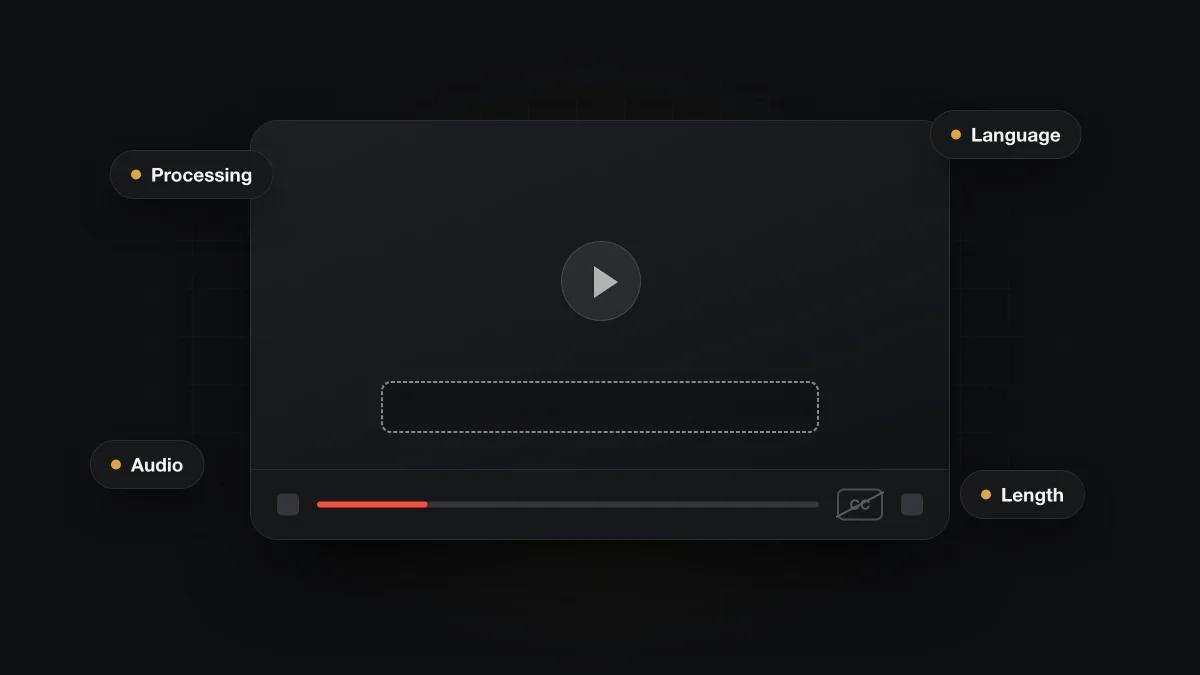
A YouTube video has no captions when the creator didn't upload any and YouTube couldn't make automatic ones. Google lists the reasons: the video is still processing, the language isn't supported, it's too long, the audio is poor, it starts with long silence, or speakers overlap. Live streams get automatic captions in English only.
How can you tell whether a YouTube video has captions?
Look for the CC icon in the player. Google's captions settings pagesays you can turn captions on or off "for videos that have them", and the CC icon shows at the bottom right of the player only when captions are available.
So a missing CC button is the clearest sign. If the icon is there, click it and play a stretch with speech. If text appears and follows what people are saying, the video has a usable track. If the icon is missing, there is no caption track for you to turn on.
Why are automatic captions missing on some YouTube videos?
Automatic captions aren't guaranteed. YouTube's automatic captions help pagelists the situations where they may not be available. When they are available, the same page says they are published on the video automatically, so nobody has to approve them first. The table below covers every reason Google gives, with what you can do from the viewer's side.
| Reason | What it means | What a viewer can do |
|---|---|---|
| Still processing | YouTube hasn't finished making automatic captions for a new upload. | Come back later. New uploads often get captions some time after they go live. |
| Language not supported | The spoken language isn't on YouTube's list for automatic captions. | Look for captions the creator uploaded, or pick a video in a supported language. |
| Video is too long | YouTube names length as a reason automatic captions may not be made. | Check for the CC icon. A shorter upload from the same channel may have captions. |
| Poor sound or unrecognized speech | Noise, music or unclear speech can stop speech recognition from producing a track. | Little you can do as a viewer. Treat the video as uncaptioned. |
| Long silence at the start | A long stretch with no speech at the beginning can prevent automatic captions. | Nothing on the viewer side. Choose a different upload if captions matter. |
| Overlapping speakers or languages | Several people talking at once, or speech that mixes languages, can block captions. | Expect bilingual and group videos to be the weaker cases. |
| Live stream | Automatic captions for live streams are available in English only. | Wait for the finished recording, which may get captions like any upload. |
Most of these are about the audio, not the channel. A clear single speaker in a supported language usually gets a track. A noisy group video, a long recording, or a video that switches languages mid-sentence is much less certain.
Is the language on YouTube's list?
YouTube publishes its supported languages on the same help page, covering long-form videos and Shorts. The list changes over time, so check Google's page rather than a copy. Being on the list doesn't promise captions on every video in that language, since audio quality still decides the outcome. Our page on language support and caption availability explains what this means for filtering in other languages.
Why do YouTube live streams often have no captions?
Because automatic captions for live streams are limited. Google's help pagesays "Automatic captions for live streams are available in English only." A live stream in any other language has no automatic track while it is live, and an English stream still depends on clear audio.
Gaming and chat streams add the usual problems on top: background noise, several voices at once, and fast speech. If your family watches a lot of live content, plan for captions to be missing or rough. The recording that stays up afterwards is a separate upload, and it can be checked like any other video.
Can a viewer add captions to someone else's video?
Not as far as Google's help pages show. The viewer-facing captions pagedescribes turning existing captions on or off and changing how they look. It doesn't describe a way for viewers to add a track to a video they don't own.
In practice, captions are managed by the channel that uploaded the video. If a creator you follow often posts uncaptioned videos, the polite route is to ask them. As a viewer, the choice you control is which video to watch.
Why do missing captions matter for profanity filters?
A caption-based profanity filter reads the caption track, so without a track it has nothing to read. That applies to word-list extensions and AI filters alike. None of them can flag a word that never appears in text form.
Bleepster is an independent Chrome extension for desktop Chrome, not affiliated with YouTube or Google. It reads a video's captions, uses included AI to find strong profanity, and mutes or bleeps those moments locally in the tab. The audio is never uploaded. When a video has no captions, the popup says No subtitles here instead of pretending the video is protected. Our guide to protection status explains that message and the others the popup can show.
Live streams are a separate case. Bleepster doesn't filter a stream while it is live, and the popup says so. A finished recording with captions is handled like any other video. There is more on what happens when captions are missing in our muting guide.
Captions that exist can still be wrong. Misheard words or drifting timestamps lead to missed or mistimed mutes, which we cover in how accurate YouTube auto captions are. The difference between matching a list and reading context is in why word-list filters fail.
What can you do when a video has no captions?
You can't make captions appear, but you can change what you watch and how you check it.
- Check the CC icon before you press play, especially on videos meant for family viewing.
- For a brand-new upload, wait and check again later. Captions may still be processing.
- For a live stream, wait for the recording and see whether it has captions.
- Prefer uploads with one clear speaker in a supported language. They are the most likely to get a track.
- Watch an uncaptioned video yourself first if language matters, since no caption-based tool can cover it.
For whole-video filtering that doesn't depend on captions, YouTube's own tools work at a different level. Restricted Mode and supervised accounts decide which videos appear, though neither mutes words inside a video that plays. On the Free plan, Bleepster covers 10 newly analyzed videos, so you can try it on captioned videos you already watch.
Frequently asked questions
Why does the CC button disappear on some videos?
YouTube shows the CC icon only when a video has captions. If it's missing, the video has no caption track, either uploaded by the creator or made automatically.
Do YouTube Shorts get automatic captions?
Yes. Google's automatic captions page lists supported languages for both long-form videos and Shorts. The same limits on audio, length and language apply.
Why do some captions show [ __ ] instead of a word?
A YouTube setting called "Don't show potentially inappropriate words" masks some words in automatic captions by default. The audio is unchanged. Our post on YouTube auto caption accuracy explains it.
Why do captions show up hours after a video is uploaded?
Automatic captions need processing time. Google lists unfinished processing as a reason they can be missing, and they are published on the video once they are ready.
Does Bleepster work on videos without captions?
No. Bleepster works from the caption track, so a video without one can't be filtered. The popup shows No subtitles here so you know before you watch.