Are YouTube Shorts Safe for Kids? Limits Parents Can Set
Shorts are fast, endless and hard to preview. See what supervised content settings cover, how to set a Shorts feed limit, and what Google hasn't documented yet.
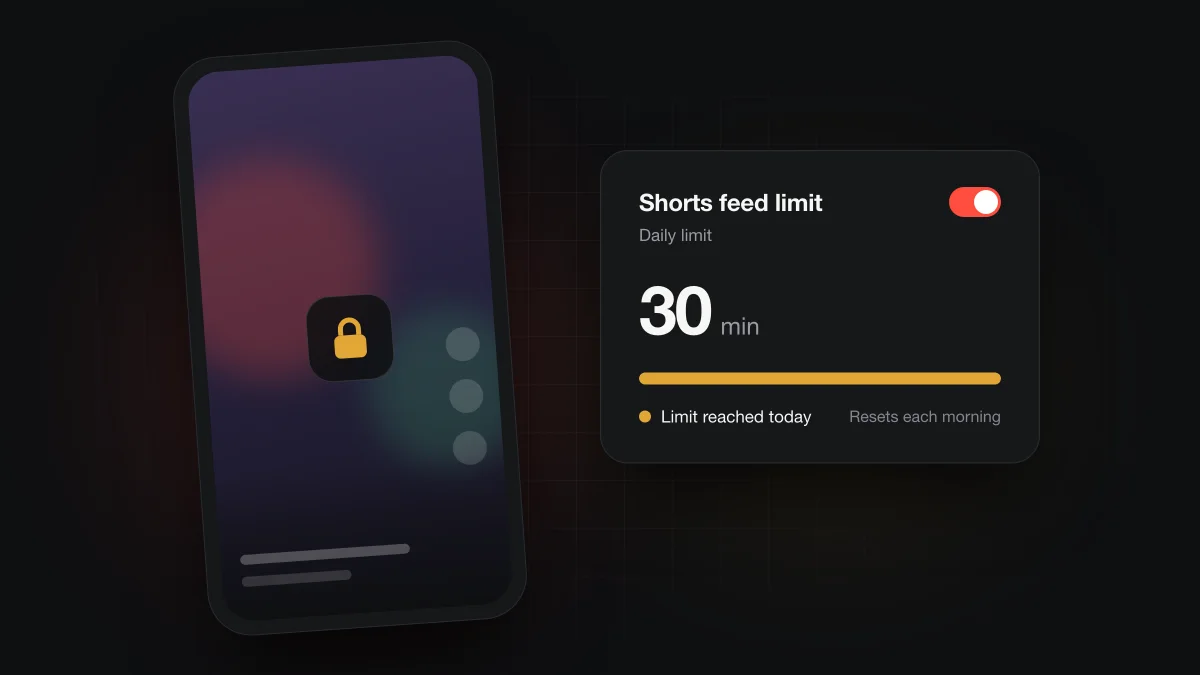
Shorts are only as safe as the account your child uses. On a supervised account, the content level a parent picks applies to the account, and parents can set a daily Shorts feed limit in the YouTube app that resets each morning. YouTube doesn't publish separate language rules for Shorts, so a fast feed still needs your attention.
What makes Shorts harder to supervise than regular videos?
The format itself is the problem. A Short lasts seconds, and the next one starts as soon as your child swipes. There is no title screen to glance at and no thumbnail you approved beforehand.
With a regular video, a parent can check the channel, skim the first minute and decide. With Shorts, by the time you look over, your child may be fifty clips further along. That is a parent's concern rather than a measured fact, but it explains why most advice on Shorts is about limiting time instead of vetting each clip.
So the useful questions are narrower. Which account is your child signed in to, what content level does it use, and how long can the feed run each day? Google answers the last two for supervised accounts, and the sections below follow those answers. Where Google hasn't documented something, such as limits on the web, we say so instead of guessing.
Can kids hear swearing in Shorts?
Yes, it's possible, and how likely depends on the account's content setting. For supervised accounts, Google's supervised experience page describes three levels. Older kids allows infrequent, mildly offensive language. Teens allows frequent offensive language or profanity. Older teens opens up almost everything except videos marked 18+.
Those levels apply to the account. Google doesn't spell out any Shorts-specific rules for language, so the safe assumption is that Shorts follow the same level you set. Google also says its automated systems aren't perfect and will make mistakes, which means a level is a strong hint about what your child sees, not a guarantee.
If your child is younger and uses the YouTube Kids app instead, our guide to whether YouTube Kids has swearing covers what each Kids setting allows.
How do you limit or turn off Shorts for a supervised child?
Set a daily Shorts feed limit. Google's Family Center help pagesays parents can set and edit the daily Shorts feed limit for a child's supervised account under Time management. Once the limit is reached, the child can't scroll the Shorts feed for the rest of the day, and the limit resets automatically every morning.
Set the limit in Family Center
- In the YouTube app, tap You, then Settings.
- Open Family Center and pick your child's supervised account.
- Under Time management, set the daily Shorts feed limit. You can come back later to edit it.
If you manage your child through Family Link instead, Google gives a second route: choose your child, then Controls, then Content restrictions, then YouTube.
What about a zero-minute limit for teens?
Not yet confirmed. On January 14, 2026, YouTube announced updates for supervised teens that let parents set how long teens can scroll Shorts, and said parents would soon see an option to set that timer to zero. Google's Family Center help page doesn't show a zero option yet, so check the setting in your own app before relying on it.
Can you limit Shorts on your own or a teen's personal account?
Yes, in the YouTube app. Google's Shorts feed limit help page gives the path: You, then Settings, then Time management, then Shorts feed limit. The list of choices includes setting the limit to zero.
There is a big difference from the supervised version. On a personal account, hitting the limit shows a reminder that you can dismiss or ignore. It works as a nudge for an older teen who wants help with the habit. It isn't a parental control, because the person it limits can switch it off.
What about Shorts on a computer?
Google documents the Shorts feed limit in the YouTube app only. Both help pages give app steps and say nothing about youtube.com in a desktop browser. We couldn't find an official setting for limiting Shorts on the web, so don't assume a limit set in the app carries over to a laptop.
On a shared computer, the account still matters. A child signed in to their supervised account gets the content level you chose. A browser signed out, or signed in to a parent's account, doesn't.
What else helps with Shorts?
A feed limit controls time. A few other settings shape what your child sees during that time.
Pick the right content level
The content level is the main lever for language. If you hear more than you'd like, moving from Teens to Older kids is the step Google offers. Our comparison of YouTube Kids vs a supervised account helps if you're still choosing between the two.
Know what supervised kids can't do
Google's supervised account features page says creating Shorts is turned off for supervised kid accounts, and so is live streaming. The Older kids setting also can't read comments. Comments are their own topic, covered in how to turn off YouTube comments for kids.
Use Family Link and autoplay defaults
Google's Family Link YouTube controls let a parent choose the content level, turn on Restricted Mode, disable autoplay, and pause or clear watch history. For regular videos, Google says autoplay is off by default for users aged 13 to 17. For the rest of the setup, our family YouTube viewing checklist walks through it in order.
Where Bleepster fits
Bleepster is an independent Chrome extension, not affiliated with YouTube or Google. It reads the captions of videos on youtube.com in desktop Chrome and mutes or bleeps strong profanity. It isn't built around the Shorts feed and doesn't work in the YouTube app on phones or tablets. For Shorts, the account settings and feed limit above are the right tools. For longer captioned videos on a family computer, see the YouTube profanity filter for families.
Frequently asked questions
Can kids under 13 post Shorts?
Not from a supervised account. Google says creating Shorts is turned off for supervised kid accounts, along with creating live streams.
Can I set the Shorts limit to zero minutes?
On a personal account, yes: Google lists zero as an option in the app. For supervised teens, YouTube announced a zero option on January 14, 2026, but Google's help page doesn't show it yet, so check your app.
Does the Shorts feed limit work in a web browser?
Google documents the limit in the YouTube app only and gives no desktop steps. Don't count on a limit set in the app applying to youtube.com on a computer.
Does Restricted Mode remove Shorts?
Google doesn't say. Its help pages describe Restricted Mode as hiding some videos, but they don't say whether Shorts are removed or filtered differently.
Does Bleepster filter Shorts?
Bleepster is built for captioned videos on youtube.com in desktop Chrome, and you shouldn't count on it for the Shorts feed. For Shorts, use the account's content level and the daily Shorts feed limit.