AI Profanity Filter vs Word-List Filter for YouTube
Word-list caption filters match strings; context-aware AI reads the whole line. Compare how each misses or overblocks, what both need, and privacy and cost.
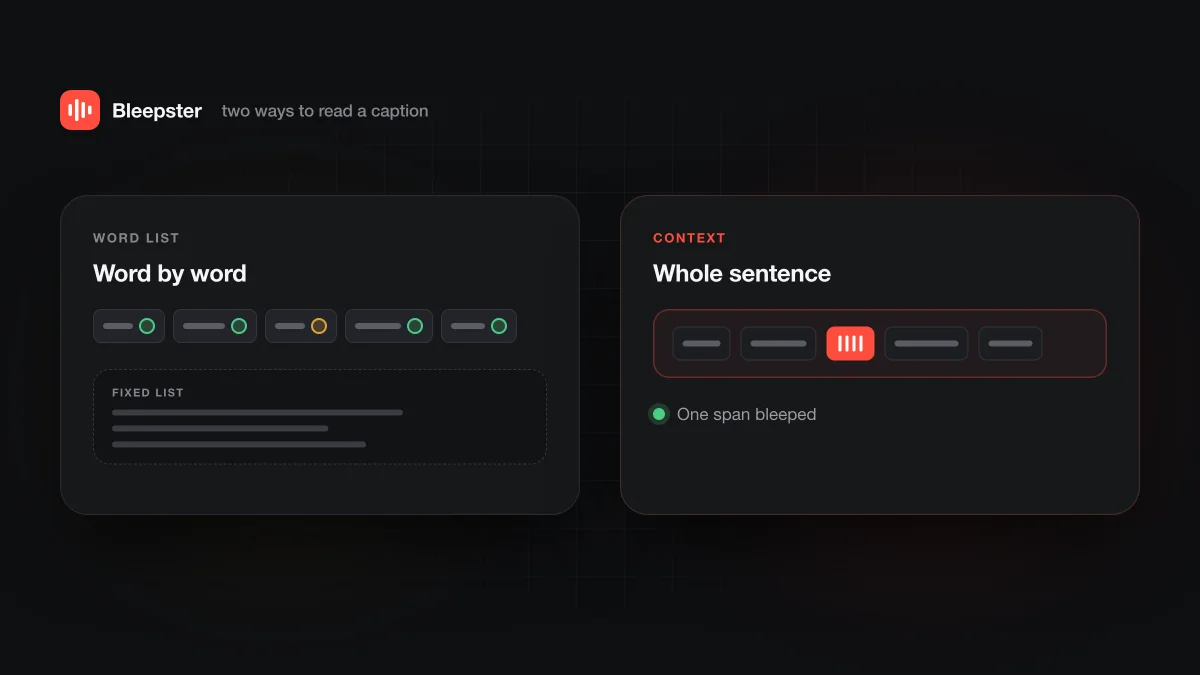
Both kinds of filter read a YouTube video's captions and mute what they find. A word-list filter matches each caption word against a list you can usually see and edit. A context-aware AI filter like Bleepster reads the whole line, so it catches more spellings, slang and languages, but you can't tune what it flags. Pick control or coverage.
How does a word-list caption filter work?
A word-list extension reads the caption text of the video you're watching and checks each word against a list. When a word matches, it mutes the audio at that caption's timing, and some versions also hide the word in the captions. That's the whole method.
The appeal is that you can see the rules. You can usually open the list, remove entries you don't mind and add words your family cares about, including mild ones. Nothing about the decision is hidden from you.
The cost is that the list only knows what's on it. We cover the theory in why word-list profanity filters miss and overblock, so this post sticks to what that means when you're choosing a tool.
How does a context-aware AI filter work?
A context-aware filter sends the caption text to an AI model that reads each line as a sentence and decides which words are strong profanity in that context. The flagged spans are then lined up with the caption timing and muted during playback.
In Bleepster's case, the extension reads the video's caption or transcript track, and the caption text goes through Bleepster's authenticated server to an included AI model. You don't supply an API key. Muting happens locally in the Chrome tab with silence or a bleep, and the video's audio is never uploaded. The full pipeline is on how Bleepster works.
Bleepster flags strong profanity and obscenity, in any caption language, including disguised spellings. It deliberately leaves mild words alone. There is no sensitivity slider, no category picker and no custom word list. That is the main trade-off with this approach: you get broader coverage, but you can't adjust it.
How do the two compare side by side?
This table compares the two categories of extension, not specific products. Word-list extensions differ from one another, so check the details of any one you're considering.
| Compared | Word-list filter | Context-aware AI (Bleepster) |
|---|---|---|
| How it decides | Exact or pattern match against a list. | An AI model reads the caption line and flags strong profanity in context. |
| Your control | High. You can usually view, add and remove words. | None over what gets flagged. You choose silence or a bleep. |
| Mild words | Muted if they're on the list. | Not flagged. Only strong profanity and obscenity. |
| Spelling variants and slang | Missed unless each form is on the list. | Read in context, including disguised spellings. The AI can still make mistakes. |
| Other languages | Needs a list for each language. | Any caption language can be analyzed. English and German are tested most heavily. |
| Where the matching runs | Often in the browser. Check each extension's privacy policy. | Caption text goes to Bleepster's server. Audio stays on your computer. |
| Needs captions | Yes | Yes |
| Cost | Varies by extension | Free for 10 new videos, then $4.99/month or $19.99 lifetime |
Where does each one miss or overblock?
A word list misses anything that isn't written exactly as listed. New slang, inflected forms, compound words and caption typos all get through. It overblocks in the other direction when a harmless word contains or resembles a listed one, because it has no way to tell the two apart. Longer lists catch more and overblock more at the same time.
A context-aware filter handles many of those cases because it reads the sentence instead of the string. It isn't perfect. The AI can misjudge a line, and because Bleepster doesn't flag mild words, a household that wants every mild word muted will hear some it would rather not. You also can't see a list in advance, so you learn what it does by watching.
One caption issue affects both categories equally. YouTube's automatic captions help pagesays a default setting replaces potentially inappropriate words with "[ __ ]" in auto captions, and that it doesn't change the audio. Any tool that reads captions sees that placeholder rather than the word, whatever its method.
What do both still depend on?
Captions. Neither kind of filter listens to the audio, so a video without a usable caption track gives either one nothing to work with. YouTube's captions help page notes that the CC icon appears in the player only when captions are available, which is a quick way to check before you press play.
Auto captions also go missing for ordinary reasons. Google lists a video that is still processing, an unsupported language, poor sound, long silence at the start, and overlapping speakers or languages among them, on the same automatic captions page. When captions exist but are wrong or late, both methods mute the wrong spot or miss a word. Our post on how accurate YouTube auto captions are goes into that.
The difference is what happens next. Bleepster shows a protection statussuch as "No subtitles here" when it can't protect a video, so you know to decide for yourself. Whether a word-list extension tells you anything depends on the extension.
What about languages?
A word list works only for languages someone wrote a list for, and it struggles with videos that switch languages mid-sentence. Bleepster can analyze any caption language from the same pipeline. English and German have been tested most heavily, so treat other languages as supported but less proven. The supported languages page has the details.
If your family watches in Spanish, there is a separate guide to muting swearing in Spanish YouTube videos, including how to check a video has Spanish captions first.
What about privacy and cost?
Privacy is where a word list has a real edge. Because matching is simple, many word-list extensions can do it inside the browser without sending caption text anywhere. Read the privacy policy of any extension before installing it, since that varies.
Bleepster needs a server step. You sign in, and the caption text of the video is sent to Bleepster's service for analysis. The audio is never uploaded, and muting happens locally. The privacy policy has the details.
On cost, word-list extensions vary. Bleepster's Free plan covers 10 newly analyzed videos, and rewatching those is free. Premium is $4.99 a month or $19.99 once for lifetime access, for one household on up to 5 devices or Chrome profiles. See the pricing page.
Which fits your household?
Neither category is better for everyone. The right one depends on what you're trying to keep out and how much you want to manage.
| If this sounds like you | Leans toward | Why |
|---|---|---|
| You want specific mild words muted too | Word-list filter | Bleepster doesn't flag mild words, and you can't add your own. |
| You want to see and edit exactly what gets muted | Word-list filter | The list is the rule. Context-aware AI makes a judgment you can't preview. |
| You'd rather caption text never left the browser | Word-list filter (check its policy) | Bleepster sends caption text to its server for analysis. |
| You don't want to maintain a list | Context-aware AI | You don't have to hear a new term before it can be caught. |
| Your kids watch creators who use slang or creative spelling | Context-aware AI | It reads the sentence, so unlisted forms can still be flagged. |
| Your family watches in more than one language | Context-aware AI | One pipeline covers any caption language. No per-language lists. |
Both are browser extensions that work only on videos with captions, and Bleepster runs only in Chrome on desktop. If you also need to control which videos appear at all, that's a different job. See Bleepster vs YouTube Restricted Mode or the full comparison of YouTube profanity filtering options.
- Find a few videos your family actually watches and check each has a CC icon.
- Try the filter on them. With Bleepster, that uses part of the 10 free videos.
- Listen for misses and for harmless words that got muted, then decide.
Frequently asked questions
Can I add my own words to Bleepster?
No. Bleepster has no custom word list. Its AI flags strong profanity and obscenity from context, including disguised spellings, and leaves mild words alone. If you need to mute specific words of your choosing, a word-list filter gives you that control.
Do word-list filters work offline?
The matching itself often runs in the browser, so it may not need a server. YouTube still needs an internet connection, though, and Bleepster needs to reach its service to analyze each new video.
Does either kind of filter work without captions?
No. Both read caption text, so a video with no usable captions can't be filtered. Bleepster shows "No subtitles here" in that case.
Which languages does each support?
A word-list filter covers the languages it has lists for. Bleepster can analyze any caption language, with English and German tested most heavily. See the supported languages page.
Does Bleepster catch every swear word?
No. Wrong or late captions lead to missed or mistimed mutes, and the AI can make mistakes. It reports when it can't protect a video instead of staying silent.