Bleepster help
What Safe Start Does in Bleepster
Safe start pauses a new YouTube video for about three seconds while Bleepster checks the opening. When it applies, how to skip it, and its limits.
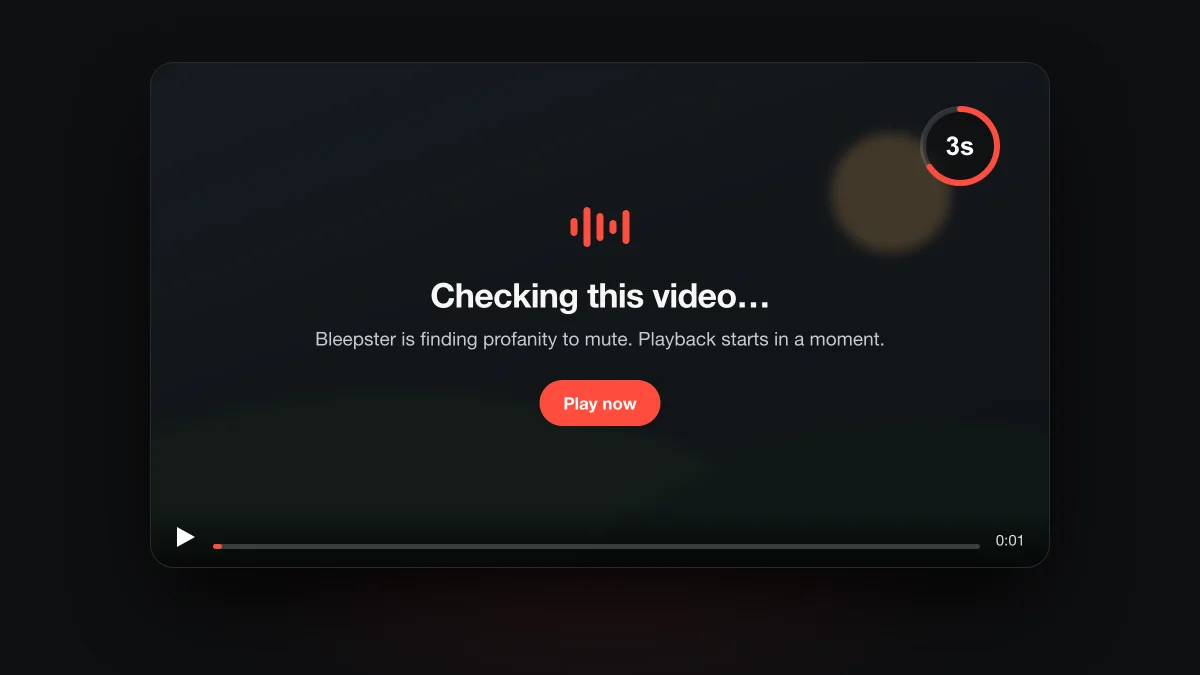
Safe start is an optional Bleepster setting that pauses a new YouTube video for about three seconds while Bleepster starts checking its opening. It is off by default. Turn it on in Settings when you want the first lines of a video to have a better chance of being checked before they play.
Why would a video need a head start?
Bleepster reads a video's captions and sends the text for AI analysis before it can mute anything. That takes a moment after a new video loads. Without a pause, the first few seconds can play before analysis begins, which is when an intro or a cold open can slip through. Safe start buys that moment.
Videos Bleepster has already analyzed don't need it. Their results are cached on your device, so muting is ready as soon as they play.
How do you turn on Safe start?
- Open the Bleepster popup from Chrome's toolbar.
- Go to Settings.
- Turn on Safe start, described as “Hold playback until the opening is checked”.
If you use a Parent PIN, set Safe start first. Once the PIN is on, the setting can only be changed after unlocking the popup.
What happens when Safe start pauses a video?
The video pauses and an overlay appears on the player: "Checking this video…", with the line "Bleepster is finding profanity to mute. Playback starts in a moment." Playback resumes on its own after about three seconds. Choose Play now to skip the wait.
The pause also ends early if you turn Bleepster or Safe start off, or switch videos.
When does Safe start apply?
Only when all of these are true:
- Bleepster and Safe start are both on.
- The video has captions Bleepster could read.
- Analysis is running and the video isn't already cached on this device.
- Playback is in the first 30 seconds of the video.
- Safe start hasn't already paused this video once.
So it won't interrupt a video you are rewatching, a video you jumped into halfway, or a video with no captions. For that last case, the protection status tells you whether Bleepster can help at all.
What Safe start does not do
It does not wait for the whole video to be analyzed, and it doesn't guarantee that the opening is clean. It gives analysis a short head start. Caption errors and timing drift can still cause a missed or late mute, as our post on YouTube caption accuracy explains.
Frequently asked questions
Is Safe start on by default?
No. It is off until you turn it on in Settings.
How long does Safe start pause a video?
About three seconds, once per video. Play now skips the wait.
Does Safe start use up a free video?
No. A free video is counted after a minute of analyzed playback, and time spent paused doesn't count. See how free videos are counted.